Archive for the ‘Uncategorized’ Category

3 New Ways to Measure/Evaluate UX (User Experience)

Wednesday, July 22nd, 2009

Three New Ways to Measure and Evaluate Your UX (User Experience).

I know you all are reading your omniture, webtrends, or google analytics for insights into your UX. I love inventing new methods to see, so here are 3 new and practical ways to measure or evaluate your UX.

A/B/C Testing
Do A/B/C (side-by-side-by-side) testing with people (individual or focus group) showing them your site and two other sites. Ask them what which two are more similar (on different topics) and why. Why? With 3 items, people can identify patterns and you get more variety of mashups, but it’s not too much variety that is overwhelming to them.

Social Media Expectations Test
Don’t look at your website. Find, collect and read all the social media (twitter, blogs, etc) for the last month that talks about your website. Imagine yourself as someone who has not yet been to your website, what could they know and what are their expectations about your site by just reading the social media. Then do this with two of your competitors and compare.

UX Horizon Test
With people experienced with your site and comparative sites get a list of 6 websites (or offline expeirences.) Tten take a piece of paper and draw a horizon across it (yes, its just a line going across from one side to another, perhaps give it a little curvature of earth to it.) Draw a stick figure representing themselves right at the bottom. Then have them place the websites or experiences in the 3D environment in relation to the stick figure based on personal relevancy.

So, in the next week or so I suggest you play around with one of these new measures of your UX.  If you start to want to get in-depth with the analysis of your results feel free to contact me if you need any help.

Reference
Definition of UX: How people interact and feel about an experience.

My earlier post on “How do you measure UX” was more broad and this post is more practical.
How do you measure UX (User Experience)?

Monday, July 20th, 2009

How do you measure UX (User Experience)?

This is a more thinking/theory post. For a more doing/practical post see “3 New Ways to Measure and Evaluate UX

A good question from Austin Govella, he asked me to blog on it. He and Livia Labate has been pursuing this question at UX Healthcheck. I myself have many thoughts on this question and this post is one thought about how I approach measuring UX for both online and offline experiences. This specifically relates to the UX Value of “Measure the Impact” in the UX Value Mandala.

For a given setting there is a reality, people have experience as they live and work in a particular reality. These people then create or make expressions of their experiences they have in these realities.

Why is it so complicated, can’t we just measure experience?
I am not interested in a reality if no one is experiencing it.
Different people can be in the same reality and yet have different experiences, for example they bring to a reality different expectations and different past experiences. A person’s “experience” is a contstruct and reflection on what happened to them.

Because we are seeking to understand what a certain set of activities or events MEAN to someone we can not just use objective measures of the experience that we collect as the experience unfolds. Too many UX measures soley focus on this one element of measuring UX.

In order to measure UX well we need to collect data on the setting of the experience and on people’s reflection and construction of their experiences.

How to analyze an experience setting.
The setting of an experience should focus on describing elements such as:
1) The actors, 2) their goals, and 3) feelings,
4) the different places, and 5) spaces, and 6) the objects located there,
7) during different events, 8) activities, and 9) acts that happen.

It’s more than just a task analysis.
I hope this expands most people’s conceptualization of user experience as only being made of activities or tasks.
Almost all the UX measurements out there seem to focus at the act and activity level. The better ones even correctly
coallese these into events that people experience, but few that I am aware of look at the other aspects of a experience setting.

Then the expressions that people have of the experience are varied and complicated.
Three good questions to explore are the following:
1 “Why or why not would you recommend this product or service to a friend?”
2 “If your experience with this product or service was a book, what would the chapters be titled?”
3 “What do you think you are going to start to do differently or continue to do the same now that you have had this experience?”

In other words, there are experience potential settings, there are the experiences that people have, and there are the memories/reflections of those experiences which they tell other people about and blog about. A good UX measurement index looks at all three.

Strategic Planning Process & User Experience (UX)

Sunday, July 19th, 2009

“How does UX fit into the strategic planning process?”

Strategic planning is planning for survival, even propsering. It is not leaving success to chance.

A straightforward view of Strategic Planning (at the business unit level) has 5 steps:
1 Mission & Objectives
2 Environmental Scanning
3 Strategy Formation
4 Strategy Implementation
5 Evaluation & Control

1 Mission & Objectives.
In the first step, the “UX Value Mandala” value of “See the Same” can help with finding ways of describing the company’s business vision. These visionary goals can be communicated in a customer centered way using many of the rendering methods of UX, such as story-boards, sceanrios, & personas. In addition, the “Mesure the Impact” UX Value means that the objective the business chooses here needs to be reflected in the online measurements and metrics.

2 Environmental Scanning
In the second step, the UX values of “Know the Small” and “Know the Large” can ehlp with a Michael Porter five forces evaluation on customers, both current customers in “Know the Small” and future customer and your competitions customers (conquests for you) in “Know the Large.” In addition, if a PEST analysis is done, then when you are looking at the social and technological factors you should involve UX team members and ask for their library of whitepapers. A good UX team that is living the value of “Know the Large,” will mean that they have a nice library of short whitepapers in which they have been continuely evaluating changes in the internet technologies and social media and how it might affect the business.

3 Strategy Formation.
In the third step, I don’t think there is much help that UX can add.

4 Strategy Implementatin
In the fourth step, I don’t think there i smuch help that UX can add.

5 Evaluation & Control
In the fifth step, the UX value of “Measure the Impact” can be a big help. If the same metrics the business chooses for overall success are the same ones that are being monitored online (which can give minute by minute feedback) is allows for better alignment and perhaps even act as an early warning system. Another help that UX might bring is to design a dashboard that would facilitate the monitoring and tracking of the actual performance versus the performance standards.

References
UX Value Mandala

Anthropology & UX Related Links

Thursday, July 2nd, 2009

Resources that are about anthropology and UX.

New Creative Order Emerges in Minneapolis – talks about

And a handful of younger shops with names such as Periscope and Olson that combine digital specialties with quirky offerings in design, packaging and even “social anthropology” are on the verge of lapping long-established, holding-company-backed agency brands in revenue.

Periscope – Check out their services page on Insight & Innovation, has ethnography. On their Talent section they have Heather Saucier, with background as Sociologist. Boo – no Business Anthropologist list.

Olson – Very light on the anthropology, but Social is there. No people listed at all, so no chance to see any anthropology background. It has a one sentence mention in their work section on Nike Bauer.

Out-of-the-box thinking is also being done in places such as Olson. The 180-person shop specializing in digital, for example, used a team of eight “social anthropologists” from places such as the London School of Economics to help Nike Bauer Hockey shake its perception as an older brand in a space dominated by youth. Olson mined hockey culture for insights into players’ language and aspirations — noting that youth hockey players are more influenced by older youth players than by the professional endorsers Nike typically employed. It also revamped the online retail experience. Bauer climbed to No. 1 from No. 3 in the category and has since been sold by Nike, which retained Olson to work on its Converse brand.

Ethnography and the Corporate Encounter: Reflections on Research in and of Corporations by Melissa Cefkin

Office Code: explores the impact of cultures upon office interaction and space planning

Mind the gap: ethnographers navigate the space between users and designers, start on page 40

Experience Storyboard

Tuesday, June 30th, 2009

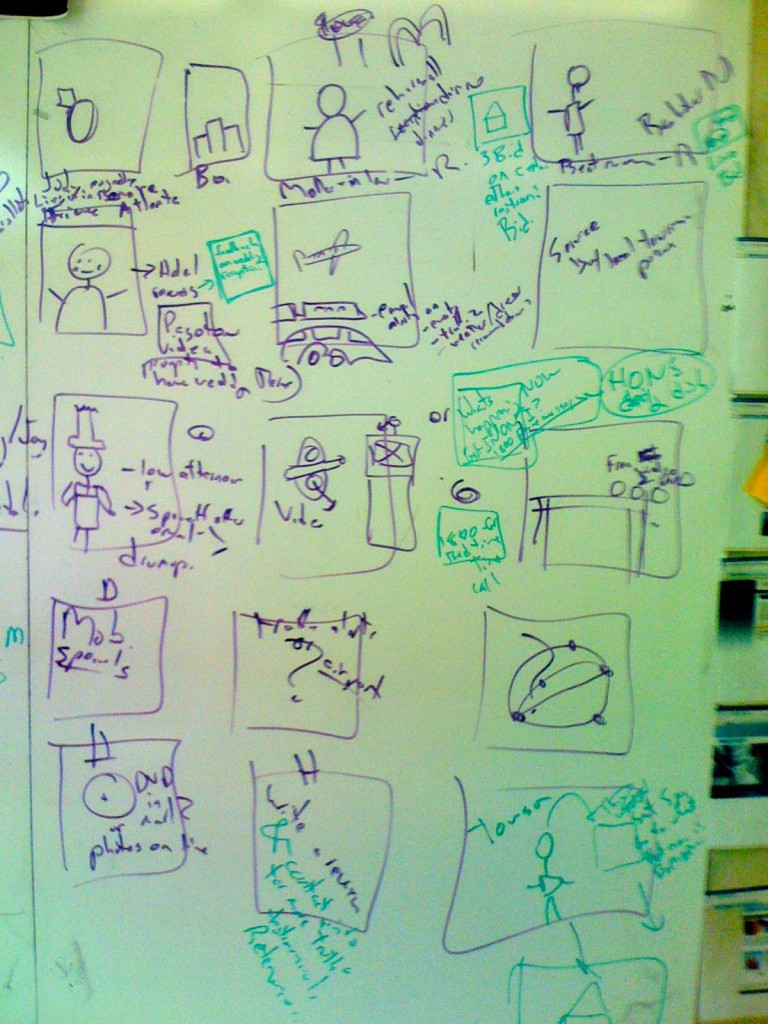
Here is a photo of a whiteboard storyboard sketch I worked on with Michael Blakesley and Haya Gaviola.  We needed to show what the experience would be for someone as they planned and traveled to and from Baltimore. It has various modes of transportation. We needed to show real life, on-line, mobile, and even different actors. From this I suggest 3 things for making better Experience Storyboards

IMG_0546

1. More People
This has people in it.  I feel more comfortable building experience diagrams that have people in them.  We are most often building these experiences for people, so why not put them in there.

2. Feelings in Thought Bubbles
And I don’t mean just goals.  People (and personas) should have both Goals andFEELINGS.  Too often we reduce people down to their utilitarian goals. In order to make sure you are having feelings, don’t focus so much on what people are saying, but what they are thinking – so there should be many “thought-bubbles” around people’s heads and not so many word bubbles.

3. Very Few Screnshots
Also notice, this has no screen shots in it of any interface. It is focused on the the person, not the interface.

I have a message out to Haya to see if she has a copy of the final version which is pretty sweet looking. If I get it I will post it here.

References
Example of Experience Storyboard by Geoff Alday
Example from Sun.com Customer Experience
Example Nate Ball’s Tunnel Experience

GUMBALLS & Social Media: Peace of Mind Gumball Machines

Monday, June 29th, 2009

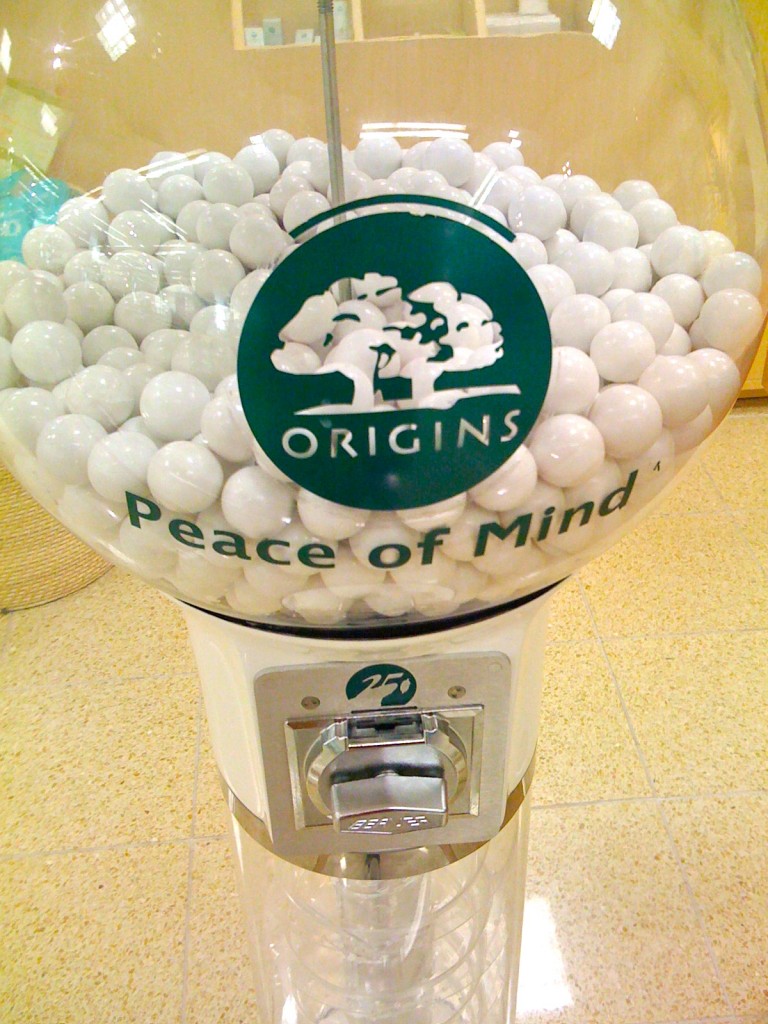
I saw this at the Mall. I just couldn’t help taking a picture of it. Something to chew on.

Peace of Mind Gumball Machine

Peace of Mind Gumball Machine

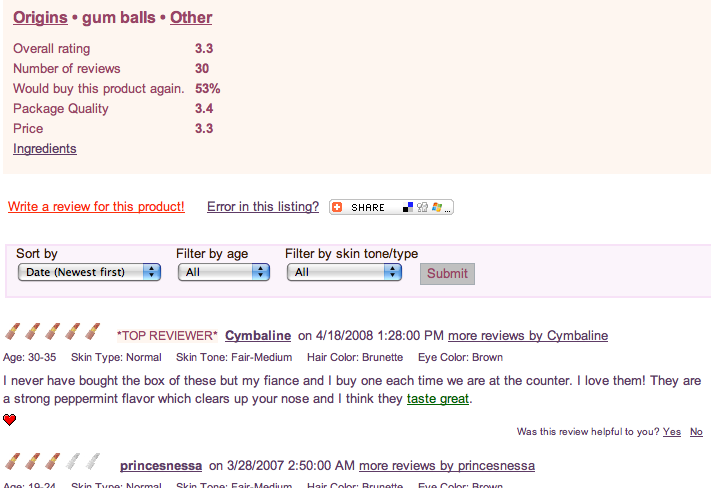
The things I found amazing about this product are the online reviews. You can see that 30 people have written reviews about these gumballs, ruminating over the merits and alternatives, even suggesting recommended uses. This is a GUMBALL!! Behold the power of social media. GUMBALLS PEOPLE!!! As I read the reviews, I got a number of insights that I could easily spin into multiple campaigns. Product Review


Picture 1

If you would like to buy me a whole bag of these gumballs and send them to me I would be so grateful.

Innovation Parkour: Experience Design Poster

Monday, June 29th, 2009

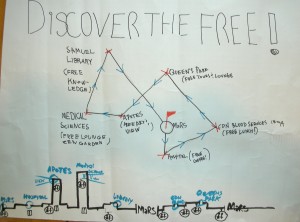
Last week I was up in Toronto and participated in an Innovation Parkour invented and hosted by Michael Dila and Matthew Milan. This is my group’s poster board from the innovation parkour exercise. We were constrained by time and decided to go hand-drawn.

DSCN2078

Interesting things about it.
-You can see more than one perspective (like some architecture drawings) One perspective is birds eye view, from the top down, the other perspective is a side view giving elevation.
-We were “pitching” the idea so the poster even included some crib notes for us to hit on during the presentation.
-This was an attempt at an experience diagram to explain to other people what kind of experience we were trying to plan.

Group Members
Peter Flaschner
Dennis Schleicher
Patrick Keenan
John Worren

Business Model White-boarding better than sketching

Wednesday, June 24th, 2009

Last Friday we were jamming through a product idea, and kept asking “What’s the business model?”

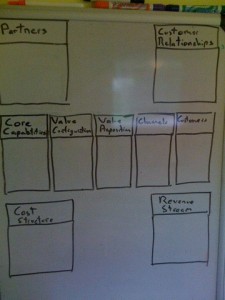
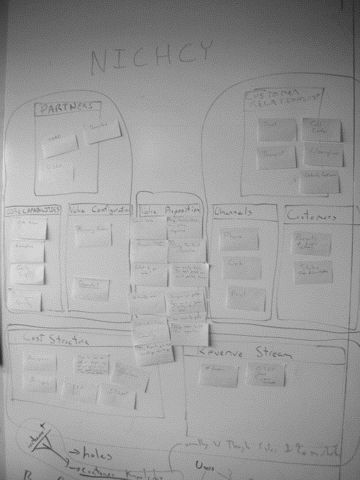
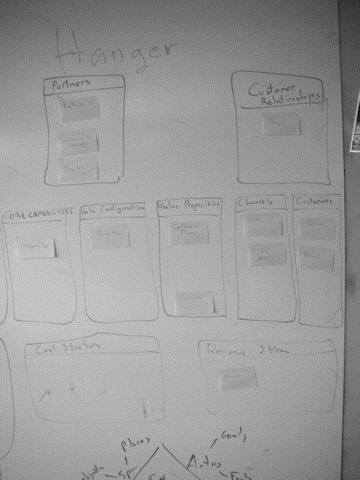
I can’t share that business model . . . yet, but one thing that has helped me (like grids and frameworks) is the following Business Model framework: Partners, Customer Relationships, Core Capabilities, Value Configuration, Value Proposition, Channels, Customers, Cost Structure, and Revenue Stream.

Business Model FrameworkThere are many different business modeling approaches. It comes from Alex Osterwalder, and he has now an updated business model framework. What I do it put the outline/framework up on a white-board and then put stickies in the appropriate places.  Really gets you thinking in different ways because it is so easy to take a post-it and move it from one place to another.  THAT facilities good “design-thinking” about the business model. I like using post-its better than how I understand that Alex Osterwalder and others have you “write” it on a piece of paper.

I think this is valuable exercise if you trying to start your own company, if you are consulting to one, or even if you are working or interning in a organization. It is just good sense to know how an organization works at this functional level.

Card Sorting with Pictures & Images

Wednesday, June 24th, 2009

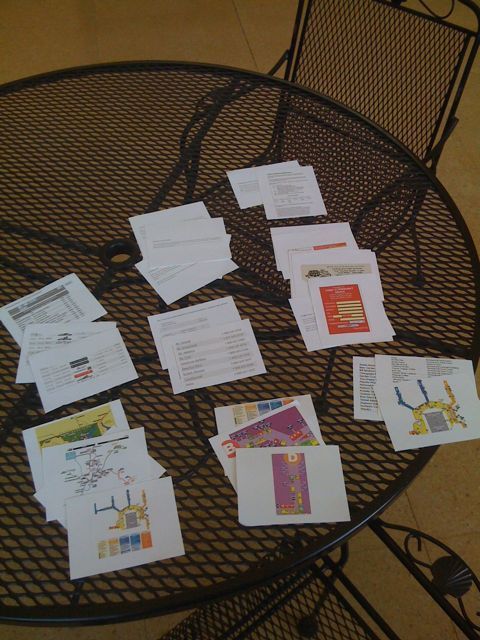
Here is an example of a visual or image card sort Michael Blakesley and I did for the redesign of the Baltimore/Washington Thurgood Marshall International Airport (BWI.)

If you want to do run-of-the-mill user research you are going to get run-of-the-mill insights that everone else gets. You need to get insights that your competitors aren’t by using techinques like this.

I got into cardsorting before I came into Information Architecture proper and so I have some different techniques. This is one that I really thinks helps us focus in on content and the core “things” that people are dealing with rather than just the “words” that describe the things.

Card sorting with pictures & images was and is a very useful technique for working with peoples who didn’t have a written language or were themselves illiterate. It’s ironic that we use it for helping to organize and structure large textual groupings.

For those who work on entertainment sites (with movie, video, and music) there are a number of very useful ways to use this way of card sorting to build a much better organization of your information that we currently see out there on the major media and entertainment sites. This kind of sorting I have also successfully used to generate metadata which is another weakness of so many movies, video, and music search & browse interfaces.

Right now I am planning to use a varient of this for some work on reports and reporting dashboards applications which have very complex visual information issues

Are you a User Experience Intern? 25 things you must do in the next 60 days!

Monday, June 22nd, 2009

So you are User Experience-intern. Yes, half your time is done.What have you done? What did you learn? What should you do with the time left? Here is a list of 25 things to do before you clean off your desk, pack up your office supplies and head back to school. This is my advice for interns who are the future of user experience design.

  1. Update Your Resume with what you have done so far.
  2. Fill out your resume with ideas of what you WILL ACCOMPLISH for the rest of your internship
  3. If you haven’t yet, Do some “user research” and observe customers buying or making progress toward a purchase decision. You don’t need to video record it, just do it, at least audio record it and take handwritten notes. If you can’t find a current client to do this for, do so for a potential client that your company might submit a proposal to.
  4. Do an evaluation on the company’s web presence. Make it a one page report and send it to your boss and your bosses boss.
  5. Make some personas, see item 3 and follow a similar strategy.
  6. Write a list of your User Experience Skills. Give it to you boss and ask them to evaluate you on a scale of 1-5 and to rank the skills in order of importance. Then ask them how you can improve you rating in each of the top 5 skills.
  7. Ask to write a proposal for a project or client.  Identify a project or client. Call it a white paper idea (1 page long) and get it critiqued, if it is any good and you are encouraged to do so, add a page or so of more detail and get it critiqued again. Ask if you can submit it and send a letter along with it saying you and intern and would appreciate any feedback. This is a low-risk but high-reward activity.
  8. Ask to a Heuristic audit of a client website.
  9. Start doing the WILL ACCOMPLISH list tomorrow
  10. Take someone out to lunch.  Find someone at the office, invite them out, ask them what they think so far of your work and what you could do to be better, be quiet, listen, and write it all down.
  11. Ask your boss for a meeting to discuss your letter of reference. YES, you need to ask your boss for a letter of reference at the end of your internship. Discuss it now, make sure to ask if there is anything you need to improve or work on NOW, while you still have time for corrective action.
  12. Make sure you clearly communicate to your boss that you need a formal letter of reference at the end of the internship that you can put in your file.
  13. Imagine you are going to have your own company one day. Write down what you would do differently than what you see so far at where you are working.
  14. Build a Business Model of the Company or Organization you are working out. (See my post on Whiteboarding Business Models for an easy template.)
  15. Ask you boss if there is anything they think you should try to learn in your time left on the job.
  16. Make sure you collect everyone’s email address who you would like to stay in contact with after you leave. Now is the time to get their work email and their personal (permanent) email address.
  17. Take some time to write down in a diary how you FEEL about your job, your employer, your field. This is your opportunity to get a good idea of what this field is like, what you value, and the kind of work environment you do best in.
  18. Do a personal review of your skills and see if there is some “NEW” skills you learned at school that no one at your company is doing. Offer to give a workshop, lunch & learn, or to use it on a project. Employers want to add these NEW skills to their tool-bag , but often don’t even know what they are missing.
  19. Answer the following question: What have you been good at? Types of projects, problems, activities, etc.
  20. Answer the following question: How do you like to work? Individually, in groups, with alot of detailed instructions, with little direction, etc.
  21. Make sure your boss knows that in addition to helping them with work you are there to learn and that you are would like to be included in any staff meetings, continuing education opportunities, and any training classes.
  22. Start writing your draft”thank-you” letter to your employer that you will send after you finish your internship.
  23. Ask yourself “What else can I do to help my company?” Then do it.
  24. Ask your employer for permission to gather “Portfolio fillers” such as copies of completed personas, wireframes, prototypes, etc  that you can use in your future job search.
  25. Make a list of companies that do business or partner with the company you are interning at.  They will be a good list for you to look to as potential employers when you are ready to enter the work force permanently. And they will know you from the company you are interning at.

if you have any more to add, please comment below or email me at dennis (at) dennisschleicher.com and I will add them to the list.